
Before you start
You need an account on the platform. If you don’t have one yet, see Creating your account. You’ll also want at least one model configured — see Models.1. Create a workflow
From the dashboard, click Create New Workflow. Give it a name likeMy First Workflow and an optional description, then click Create Workflow.
You’ll land on a blank canvas — this is the workflow builder.
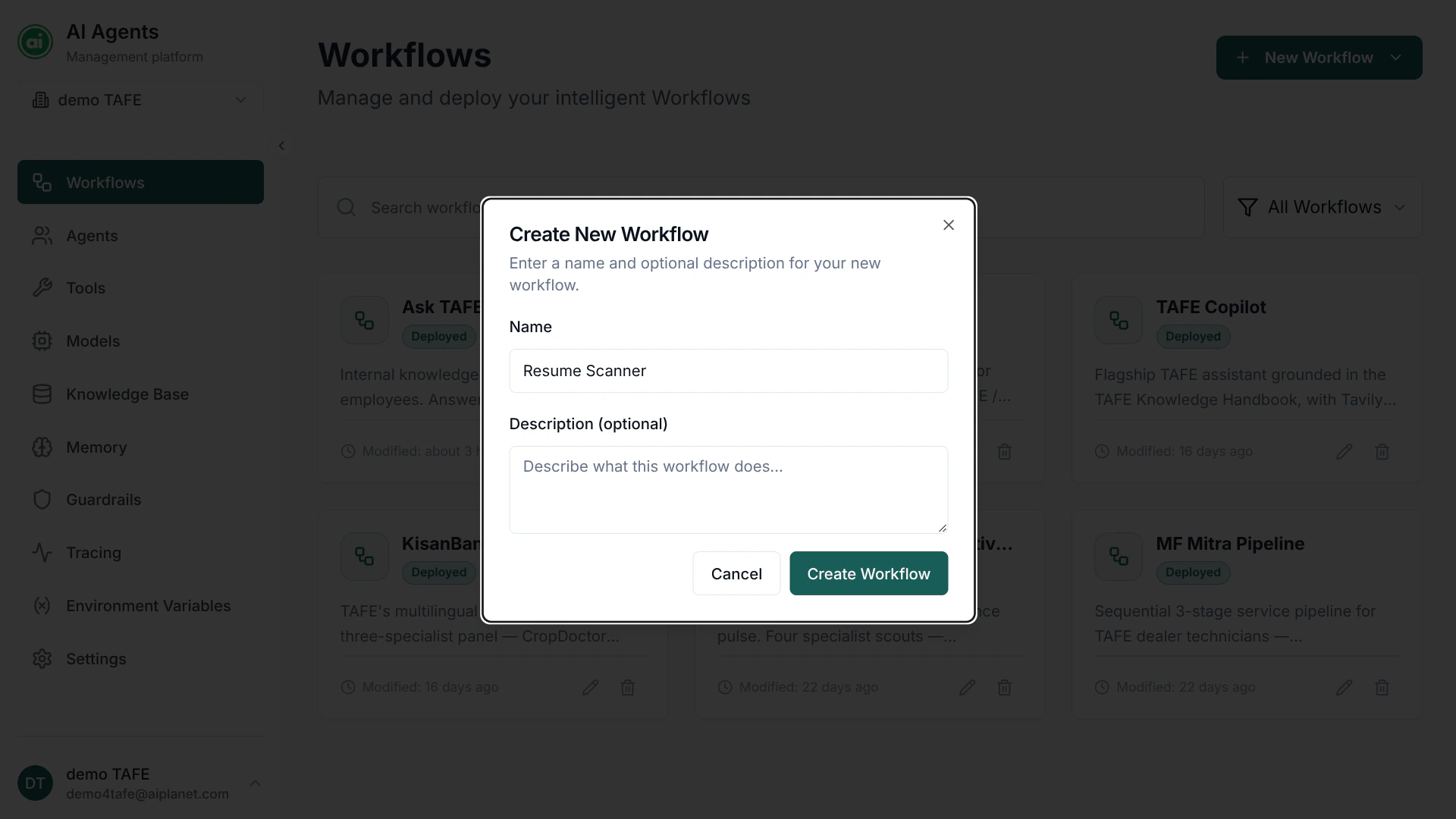
The Create New Workflow dialog — give your workflow a name and an optional description.
2. Add an Input node
From the component panel on the left, drag an Input node onto the canvas. The Input node defines what information your workflow needs to run. Select the node and add an input parameter — for example, a text parameter namedquestion.
3. Add an Agent node
Drag an Agent node onto the canvas. Select it — the panel shows the agent configurations available to your organization. Click New Agent to create one, then:1
Name the agent
Give it a clear name, such as
Answer Agent.2
Pick a model
Choose a model from the Model dropdown.
3
Write instructions
In the instructions field, tell the agent what to do — for example:
You are a helpful assistant. Answer the user's question clearly and concisely.4. Add an Output node
Drag an Output node onto the canvas. This is what the workflow returns when it finishes.5. Connect the nodes
Connect the nodes to define the flow of information: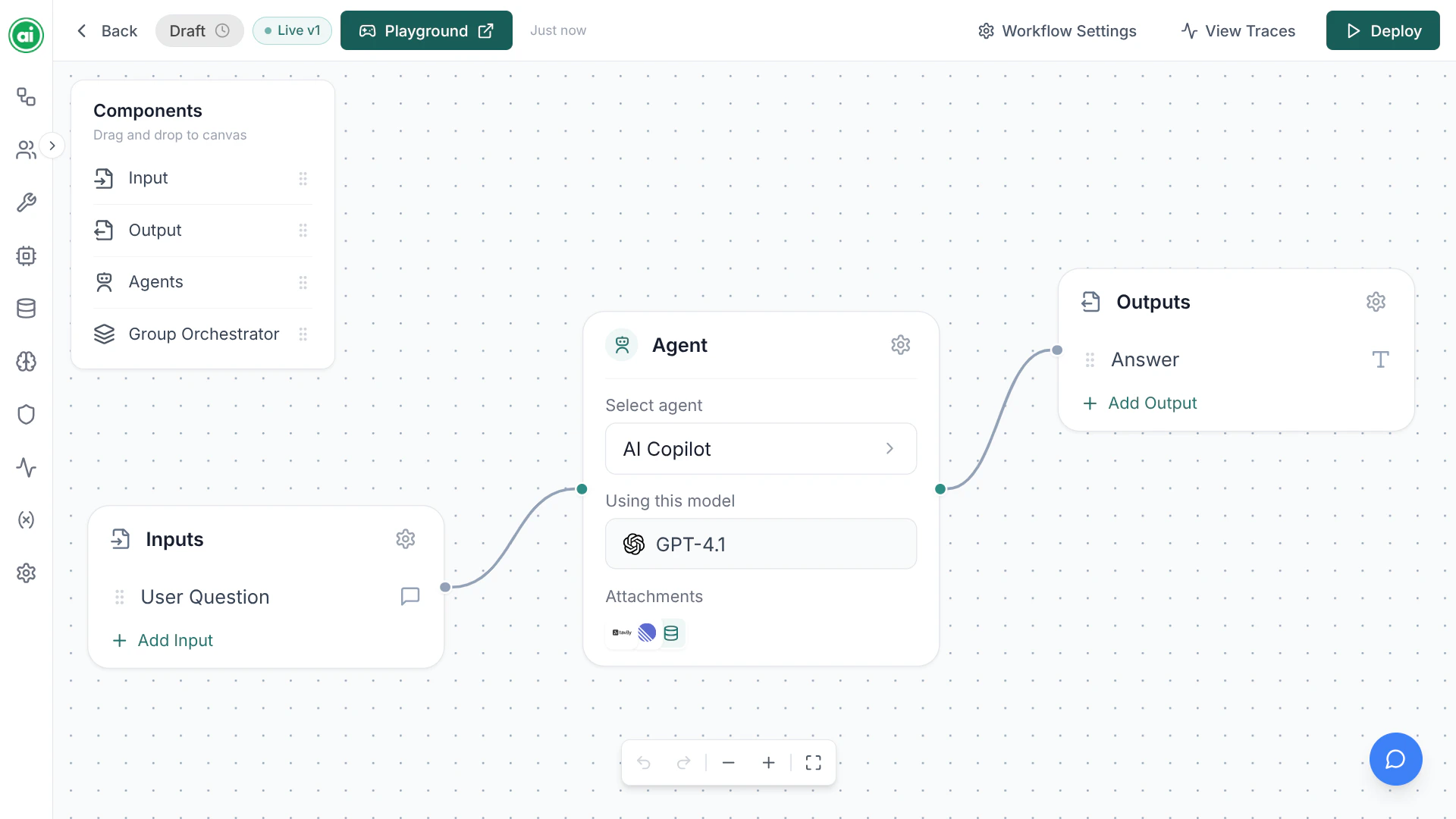
The completed workflow — Input, Agent, and Output connected on the canvas.
6. Deploy it
Save your workflow, then click Deploy in the builder header. You’ll be asked for an application name. Deploying publishes a versioned snapshot of your workflow — and it’s required before you can test or run it.7. Test it in the Playground
Open the Playground. It runs your workflow’s active deployment. Enter a question, run it, and you’ll see the agent’s response stream back in real time.Next steps
The workflow builder
Go deeper on the canvas and every node type.
Configuring agents
Set up your agent’s instructions, model, tools, and knowledge.