
How connections work
Every node has handles — small dots on its edges. To connect two nodes, drag from the handle on one node to the handle on another. This draws an edge between them. An edge means: the result of the first node flows into the second node.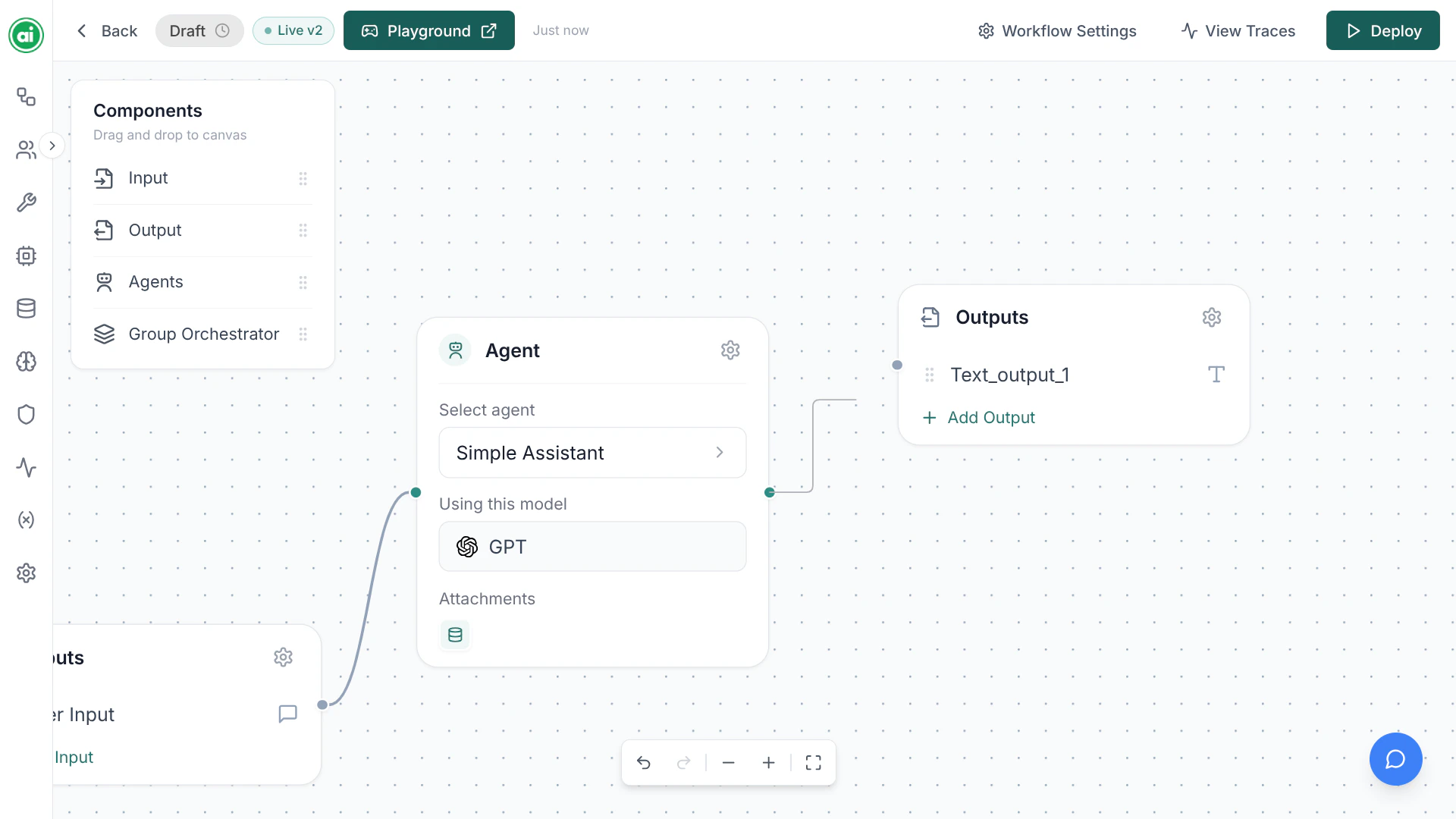
Nodes wired together on the canvas — edges run from the Input node into the Agent, and from the Agent into the Output.
A typical flow
Most workflows follow this shape:- The Input node’s parameters flow into the Agent.
- The Agent processes them and produces a result.
- That result flows into the Output node, which the workflow returns.
Managing connections
- Create an edge — drag from one handle to another.
- Delete an edge — select it and remove it.
- Reconnect — delete the old edge and draw a new one.
Tips for clean workflows
- Make sure every node is connected — a node with no connections won’t participate in the run.
- Connect your final step into an Output node, or the workflow has nothing to return.
- Keep one clear path through the workflow unless you specifically need branching.
Next steps
Configuring agents
Set up the agent at the heart of your workflow.