
Input
The Input node defines what information your workflow needs in order to run. You add input parameters to it — each with a name, a type (text, chat, file, or image), and whether it’s required. When someone runs the workflow, they provide values for these parameters. Those values flow into the nodes connected downstream.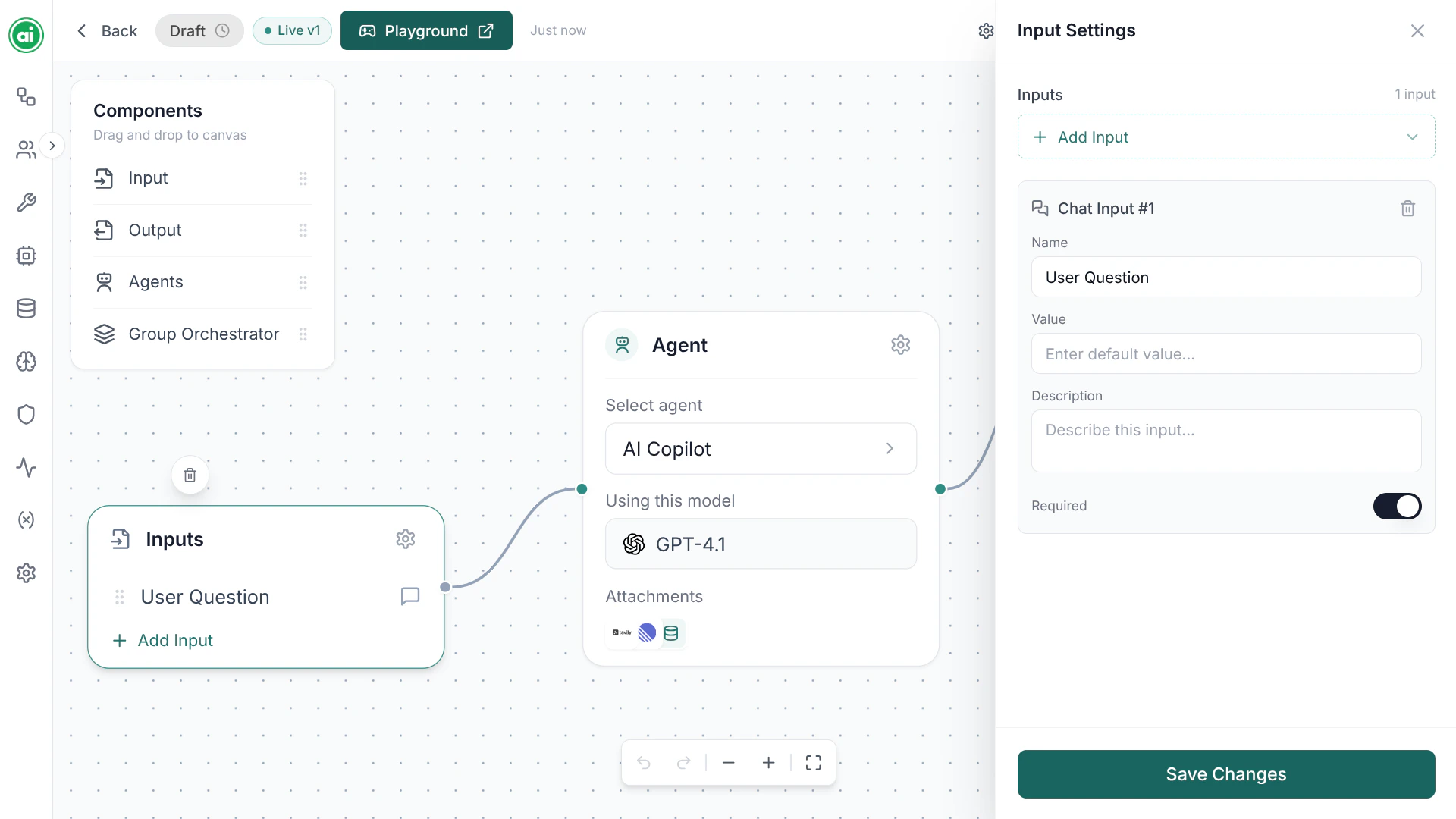
An Input node selected, with its settings panel showing the input parameters.
Agent
The Agent node is the core of most workflows — an AI step that does the actual thinking and working. An Agent node references a reusable agent configuration: its instructions, model, tools, and knowledge base. See Configuring agents for the full setup.Output
The Output node defines what the workflow returns when it finishes. Connect the result of your final node into the Output node, and that becomes the workflow’s response.Group Orchestrator
The Group Orchestrator node coordinates multiple agents working together as a team. Use it when a single agent isn’t enough and you want several agents to collaborate on a task.Tools and knowledge are part of the agent
Tools and knowledge bases are not separate canvas nodes. They’re configured inside an agent — you give an agent its tools and its knowledge base in the agent’s configuration, not by dragging in extra nodes. See Configuring agents.Choosing nodes
A minimal workflow is just Input → Agent → Output. From there you add complexity as needed:- Give the agent tools so it can take action, or a knowledge base so it can ground answers in your documents — both set in the agent’s configuration.
- Add a Group Orchestrator to coordinate multiple agents.
Next steps
Connecting nodes
Wire your nodes together to define the flow.