
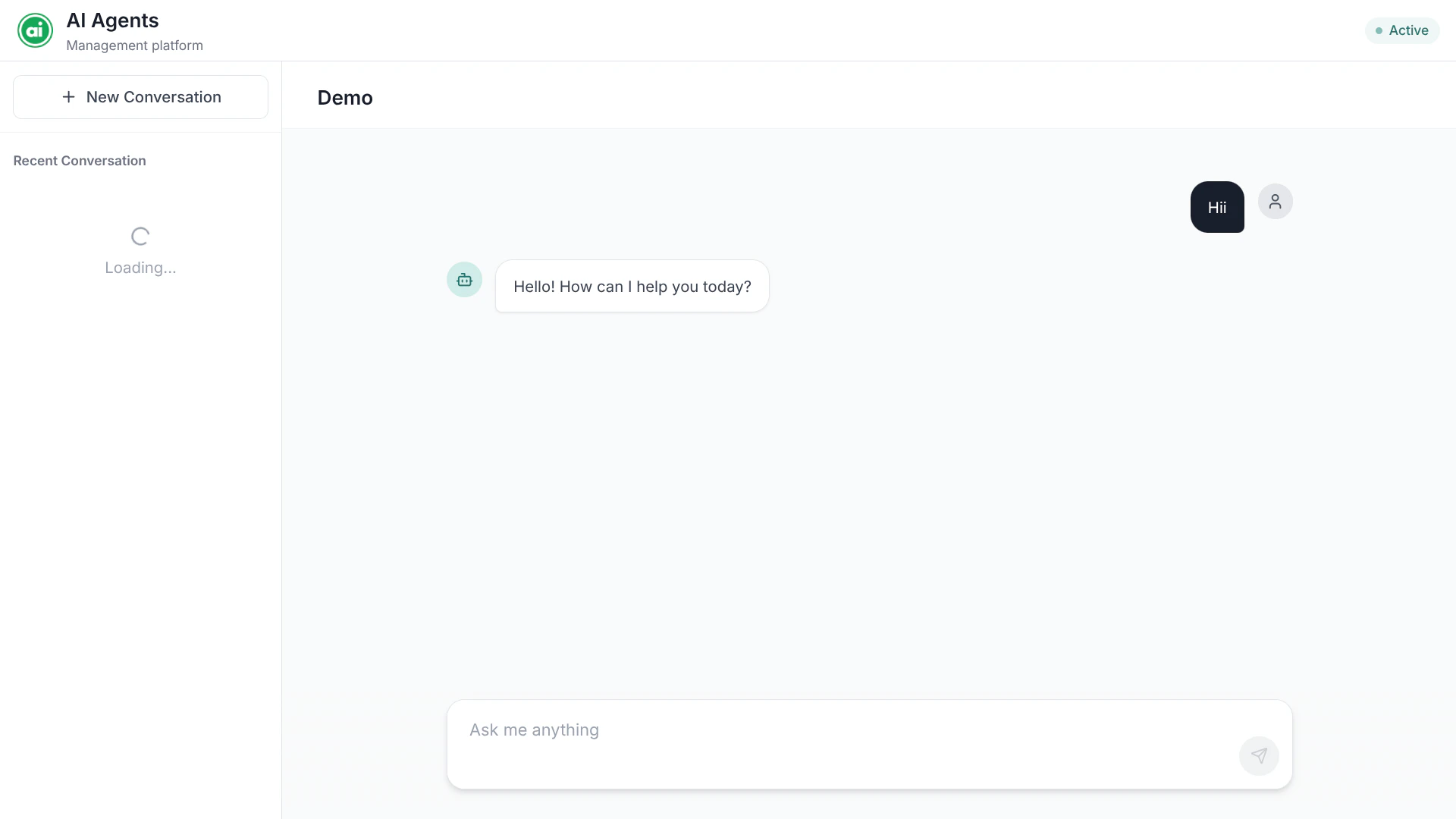
The Playground — the thread list on the left, the conversation in the center, and the input box at the bottom.
Opening the Playground
The Playground runs your workflow’s active deployment — so you need to deploy the workflow before you can test it. Once it’s deployed, open the Playground from the builder. You’ll see the workflow’s name and status in the header.Threads
The left sidebar lists your threads — each thread is a separate conversation session. Use threads to keep different test scenarios apart.- New conversation — start a fresh session with no prior context.
- Rename — give a thread a meaningful name.
- Pin — keep an important thread at the top.
Running your workflow
How you provide input depends on your workflow:- Chat-style workflows — type a message in the input field at the bottom and send it. Use Enter to send, Shift+Enter for a new line.
- Form-style workflows — fill in the input parameters in the main area and submit.
Iterating
The Playground is built for fast iteration:1
Run
Send an input and review the response.
2
Adjust
Go back to the builder, tweak the agent’s configuration, save, and deploy again.
3
Run again
Return to the Playground and try the same input. Compare the results.
Reviewing what happened
Every run in the Playground is also recorded in Tracing, where you can inspect each node’s input and output step by step. This is invaluable when a workflow doesn’t behave the way you expect.Next steps
Deploy your workflow
Once it works the way you want, publish it.