> ## Documentation Index
> Fetch the complete documentation index at: https://docs.platform.aiplanet.com/llms.txt
> Use this file to discover all available pages before exploring further.
# AI Gateway
> One OpenAI-compatible API that routes applications across model providers with access control, limits, budgets, and usage attribution.
The AI Planet AI Gateway gives your applications a single OpenAI-compatible endpoint. Behind it, the gateway routes each request to the right provider and enforces who can call what, how much, and at what cost.
 ## What the gateway provides
* Stable model aliases such as `fast`, `smart`, `vision`, and `embed`.
* OpenAI-compatible chat completions, Responses, embeddings, and streaming.
* Scoped API keys per organization, application, and environment.
* RPM, TPM, request-size, model, endpoint, and capability limits.
* Monetary budget enforcement with usage and cost reporting.
* Weighted routing, retries, provider fallbacks, and cooldowns.
* Prometheus metrics, readiness probes, structured logs, and budget alerts.
## Choose your path
Point an OpenAI SDK at an existing gateway and make your first request.
Run the supported Docker Compose topology in your own cloud account.
Create scoped keys and spend budgets, by console or by API.
## Administration
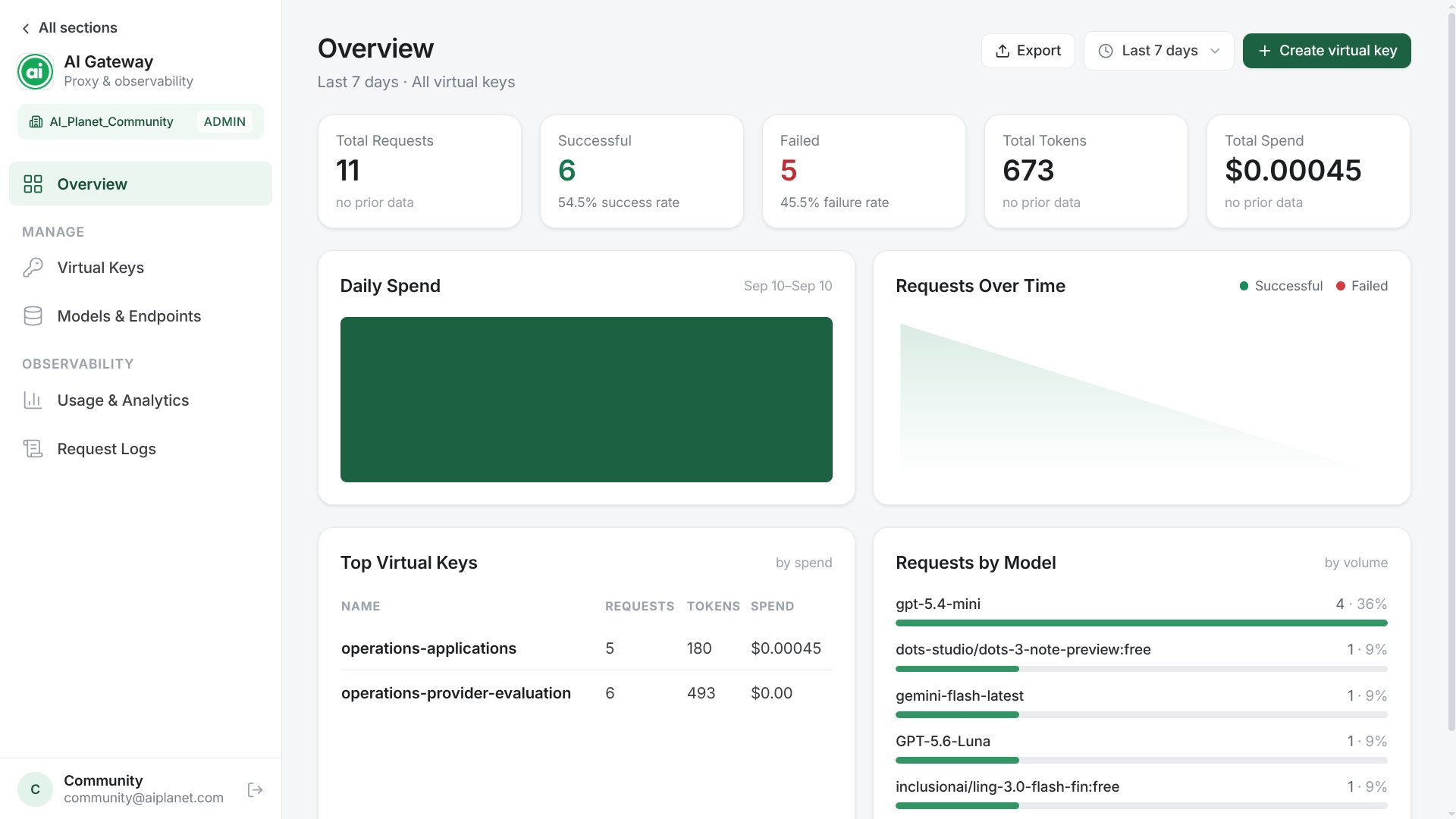
The current release supports a private operator console plus authenticated APIs and command-line helpers. See the [Console guide](/llm-gateway/console) for model, key, budget, and usage workflows. It is not a public self-service control plane.
The OpenAI-compatible surface available to application keys.
What is supported today and what is not.
## What the gateway provides
* Stable model aliases such as `fast`, `smart`, `vision`, and `embed`.
* OpenAI-compatible chat completions, Responses, embeddings, and streaming.
* Scoped API keys per organization, application, and environment.
* RPM, TPM, request-size, model, endpoint, and capability limits.
* Monetary budget enforcement with usage and cost reporting.
* Weighted routing, retries, provider fallbacks, and cooldowns.
* Prometheus metrics, readiness probes, structured logs, and budget alerts.
## Choose your path
Point an OpenAI SDK at an existing gateway and make your first request.
Run the supported Docker Compose topology in your own cloud account.
Create scoped keys and spend budgets, by console or by API.
## Administration
The current release supports a private operator console plus authenticated APIs and command-line helpers. See the [Console guide](/llm-gateway/console) for model, key, budget, and usage workflows. It is not a public self-service control plane.
The OpenAI-compatible surface available to application keys.
What is supported today and what is not.