> ## Documentation Index
> Fetch the complete documentation index at: https://docs.platform.aiplanet.com/llms.txt
> Use this file to discover all available pages before exploring further.
# Introduction
> Build, test, and deploy AI agent workflows without writing code.
The AI Planet Platform is a no-code workspace for building AI agent workflows. You design a workflow visually on a canvas, connect AI agents to the tools and knowledge they need, test it interactively, and deploy it so your team or your applications can run it.
If you have ever wanted an AI assistant that can answer questions from your own documents, call external services, and follow rules you define — this is where you build it, without engineering work.
## What you can build
Agents that answer questions grounded in your uploaded files and knowledge sources.
Agents that take action — sending messages, fetching data, updating records in connected apps.
Chains of agents and steps that pass results from one to the next to handle complex tasks.
Workflows you call from your own product through a simple API.
## How it works
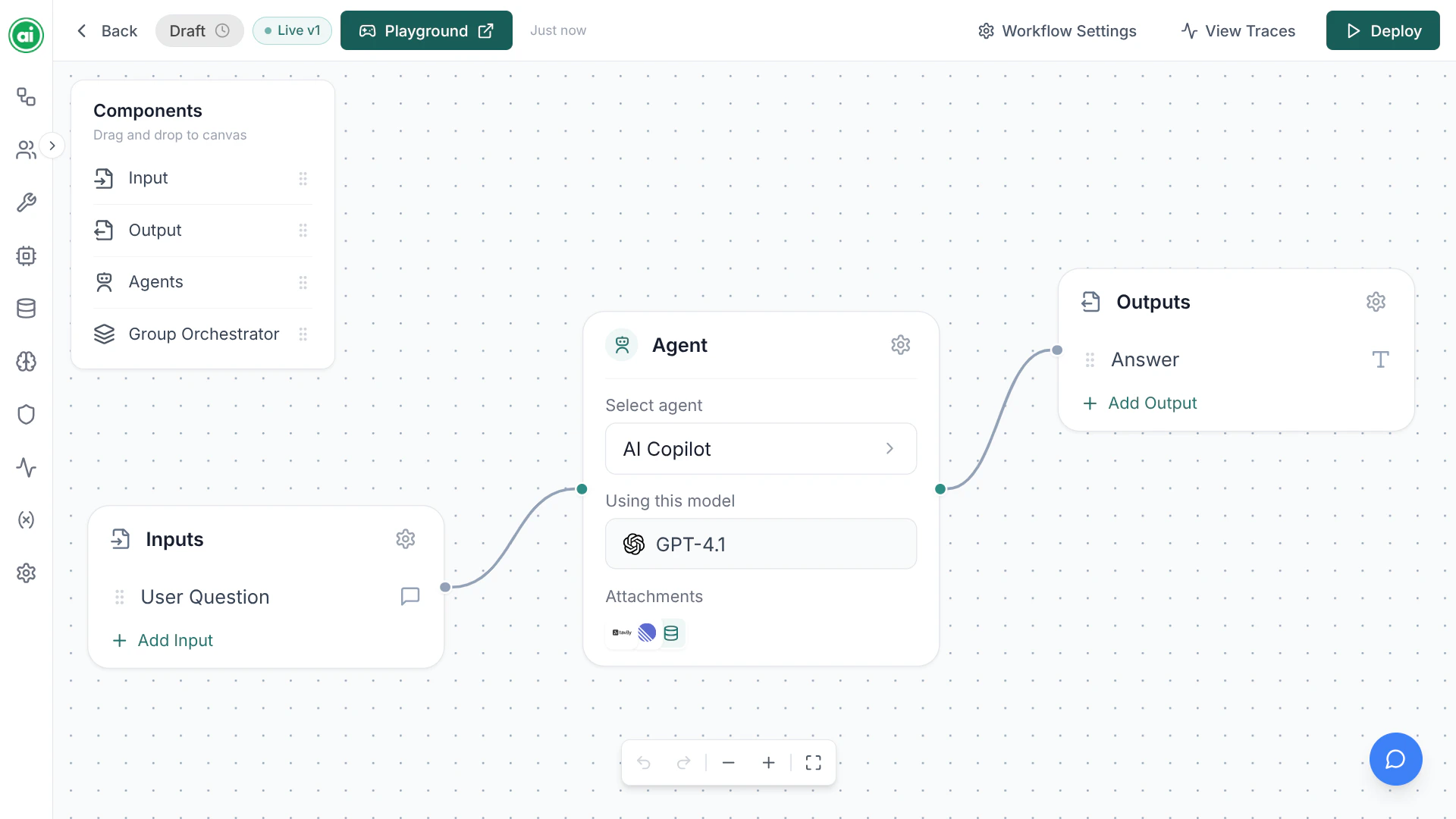
A workflow is a diagram you build on a visual canvas. You drag in **nodes** — building blocks like an Input, an Agent, or an Output — and connect them to define how information flows.
The core building block is the **Agent**: an AI step you configure with instructions, a model, and optionally tools and a knowledge base. When you run the workflow, each node executes in order and passes its result onward.
 ## The typical journey
Start from a blank canvas and give your workflow a name.
Add nodes, configure your agent, and connect everything together.
Open the Playground and try your workflow with real inputs.
Publish the workflow so it can be run by your team or through the API.
Review every run in Tracing to see exactly what happened.
## Next steps
Build and run your first workflow in a few minutes.
Learn the vocabulary used throughout the platform.
## The typical journey
Start from a blank canvas and give your workflow a name.
Add nodes, configure your agent, and connect everything together.
Open the Playground and try your workflow with real inputs.
Publish the workflow so it can be run by your team or through the API.
Review every run in Tracing to see exactly what happened.
## Next steps
Build and run your first workflow in a few minutes.
Learn the vocabulary used throughout the platform.