> ## Documentation Index
> Fetch the complete documentation index at: https://docs.platform.aiplanet.com/llms.txt
> Use this file to discover all available pages before exploring further.
# Node Types
> Every building block you can add to a workflow and what it does.
Nodes are the building blocks of a workflow. Each node type has a specific job. You combine them on the canvas to define how your workflow runs.
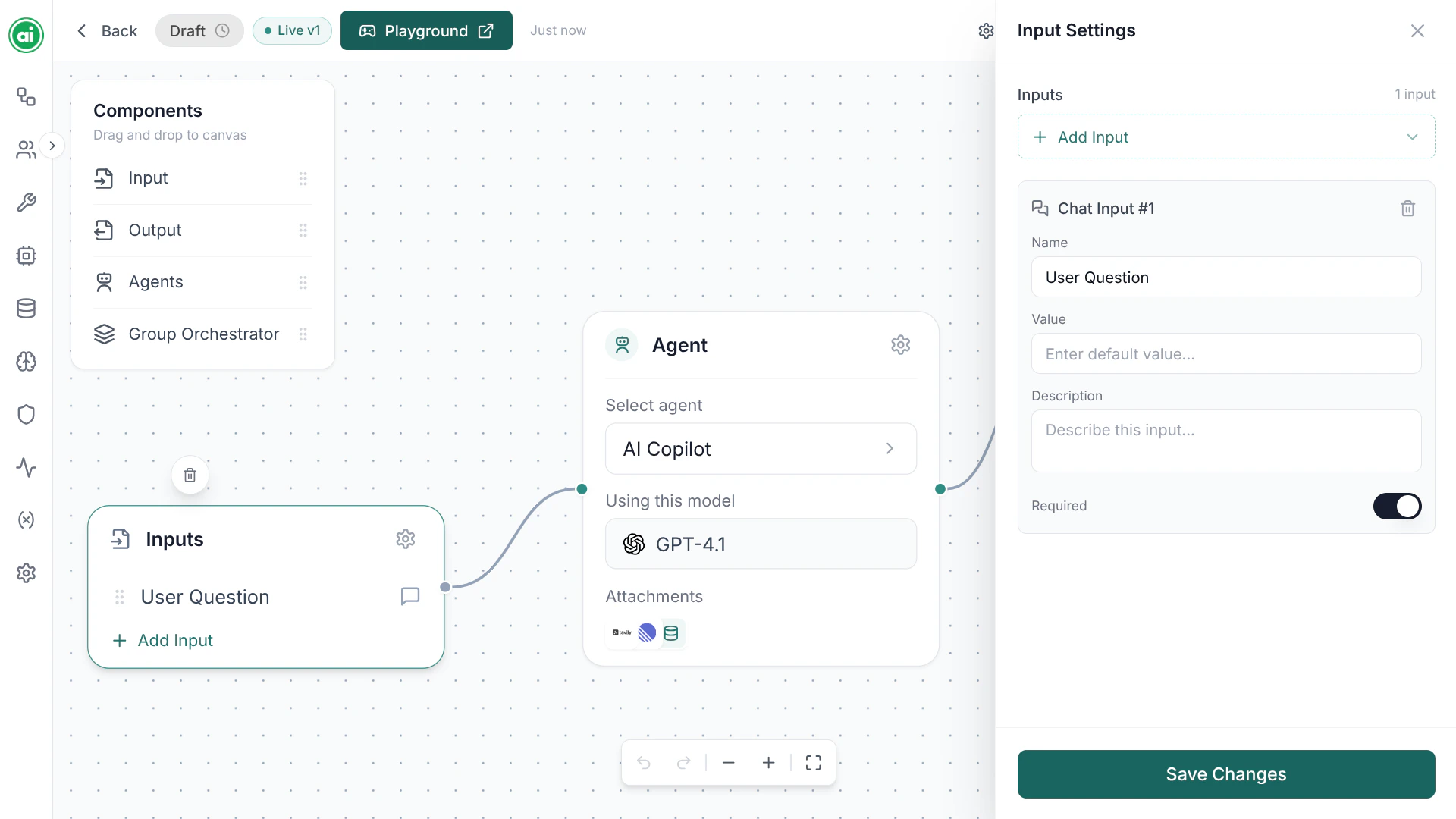
The component panel offers four node types: **Input**, **Output**, **Agent**, and **Group Orchestrator**.
## Input
The **Input** node defines what information your workflow needs in order to run. You add input parameters to it — each with a name, a type (text, chat, file, or image), and whether it's required.
When someone runs the workflow, they provide values for these parameters. Those values flow into the nodes connected downstream.
 ## Agent
The **Agent** node is the core of most workflows — an AI step that does the actual thinking and working. An Agent node references a reusable agent configuration: its instructions, model, tools, and knowledge base.
See [Configuring agents](/building-workflows/configuring-agents) for the full setup.
## Output
The **Output** node defines what the workflow returns when it finishes. Connect the result of your final node into the Output node, and that becomes the workflow's response.
## Group Orchestrator
The **Group Orchestrator** node coordinates multiple agents working together as a team. Use it when a single agent isn't enough and you want several agents to collaborate on a task.
## Tools and knowledge are part of the agent
Tools and knowledge bases are *not* separate canvas nodes. They're configured **inside an agent** — you give an agent its tools and its knowledge base in the agent's configuration, not by dragging in extra nodes. See [Configuring agents](/building-workflows/configuring-agents).
## Choosing nodes
A minimal workflow is just **Input → Agent → Output**. From there you add complexity as needed:
* Give the agent **tools** so it can take action, or a **knowledge base** so it can ground answers in your documents — both set in the agent's configuration.
* Add a **Group Orchestrator** to coordinate multiple agents.
## Next steps
Wire your nodes together to define the flow.
## Agent
The **Agent** node is the core of most workflows — an AI step that does the actual thinking and working. An Agent node references a reusable agent configuration: its instructions, model, tools, and knowledge base.
See [Configuring agents](/building-workflows/configuring-agents) for the full setup.
## Output
The **Output** node defines what the workflow returns when it finishes. Connect the result of your final node into the Output node, and that becomes the workflow's response.
## Group Orchestrator
The **Group Orchestrator** node coordinates multiple agents working together as a team. Use it when a single agent isn't enough and you want several agents to collaborate on a task.
## Tools and knowledge are part of the agent
Tools and knowledge bases are *not* separate canvas nodes. They're configured **inside an agent** — you give an agent its tools and its knowledge base in the agent's configuration, not by dragging in extra nodes. See [Configuring agents](/building-workflows/configuring-agents).
## Choosing nodes
A minimal workflow is just **Input → Agent → Output**. From there you add complexity as needed:
* Give the agent **tools** so it can take action, or a **knowledge base** so it can ground answers in your documents — both set in the agent's configuration.
* Add a **Group Orchestrator** to coordinate multiple agents.
## Next steps
Wire your nodes together to define the flow.